
Team management
Invite people and set what each one can see and edit. Up to 10 people on the Team Pro plan.
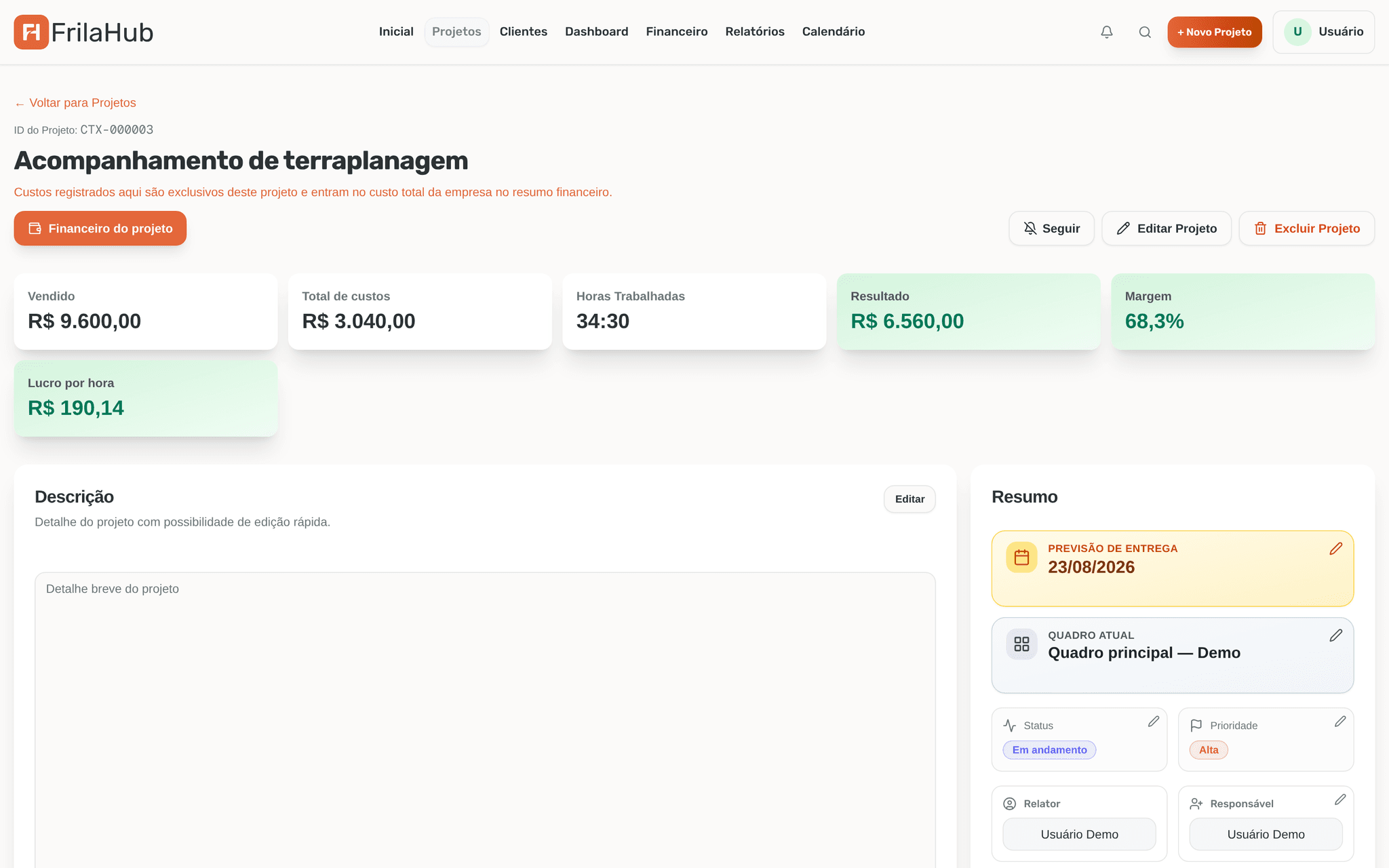
FrilaHub is a project, task and finance management system for small agencies and studios. Projects of several clients, a team with permissions, hours and the margin of every project in one place.
Up to 10 people on the Team Pro plan. Unlimited clients.
When the team grows, spreadsheets and chat threads stop showing who is doing what and which project pays off.
Tools for creative teams that need speed, clarity and control.
Invite people and set what each one can see and edit. Up to 10 people on the Team Pro plan.
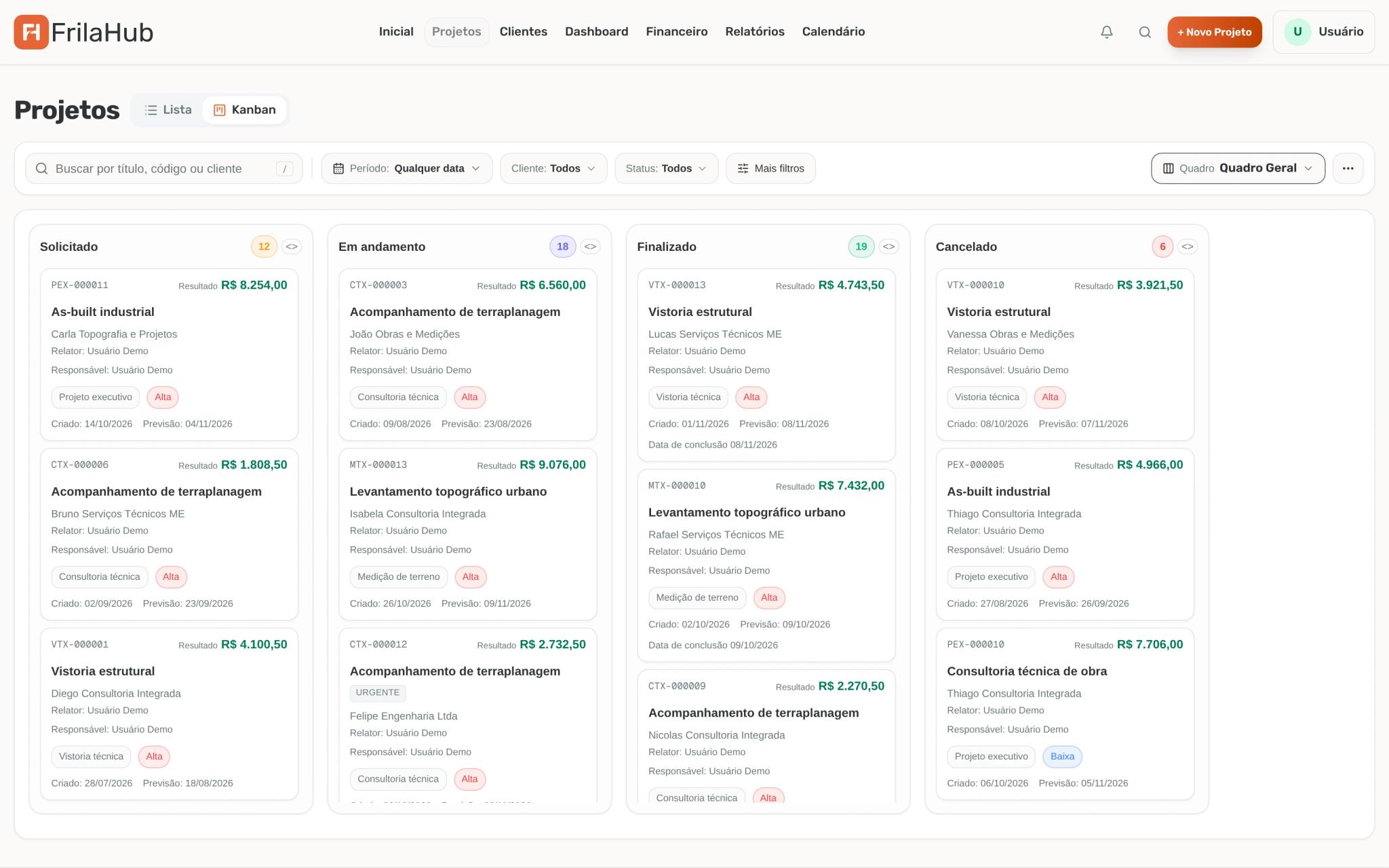
See the status of every project of the team in one place. Drag and drop between stages.
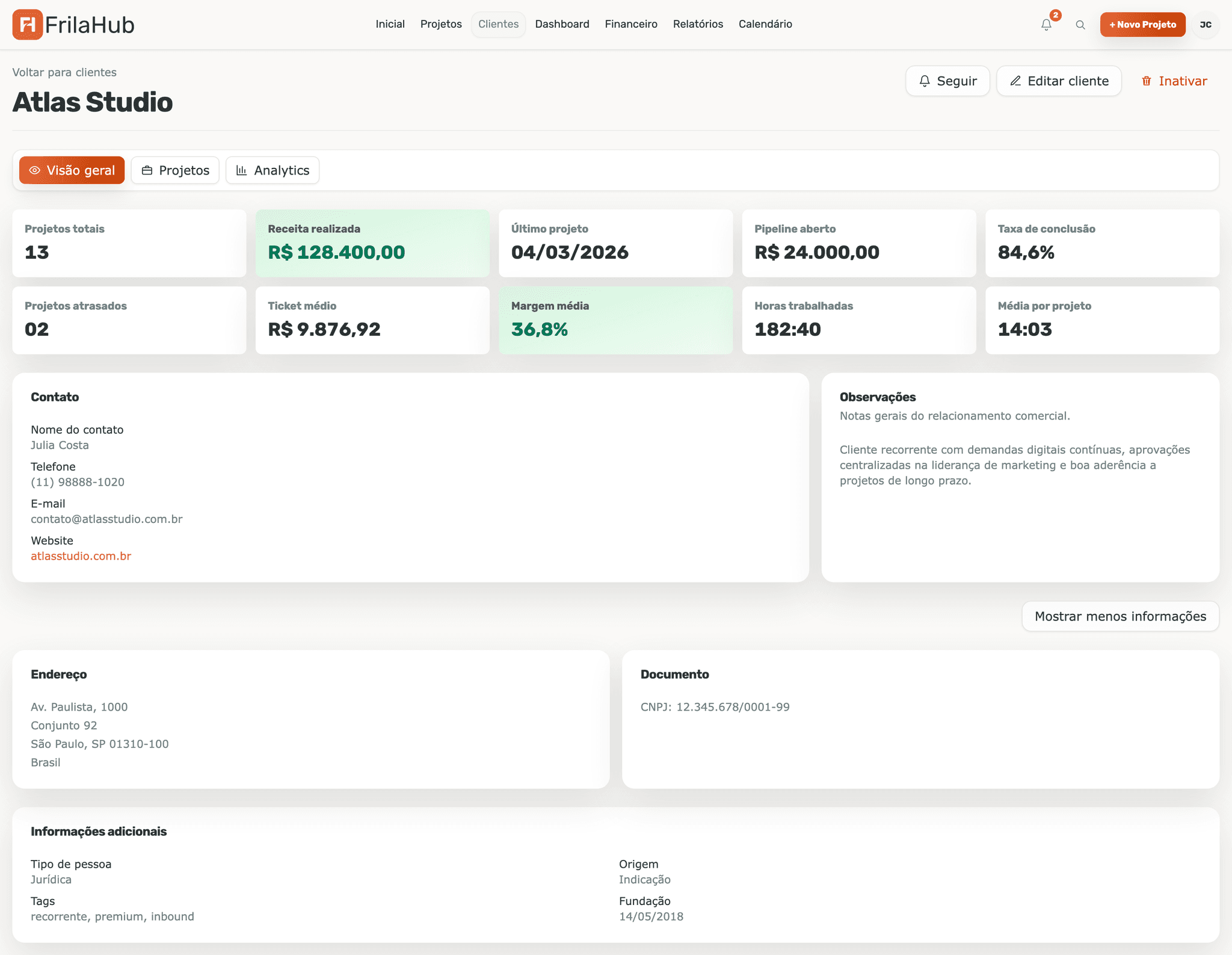
The history of each client: contacts, past projects and the revenue tied to the projects.
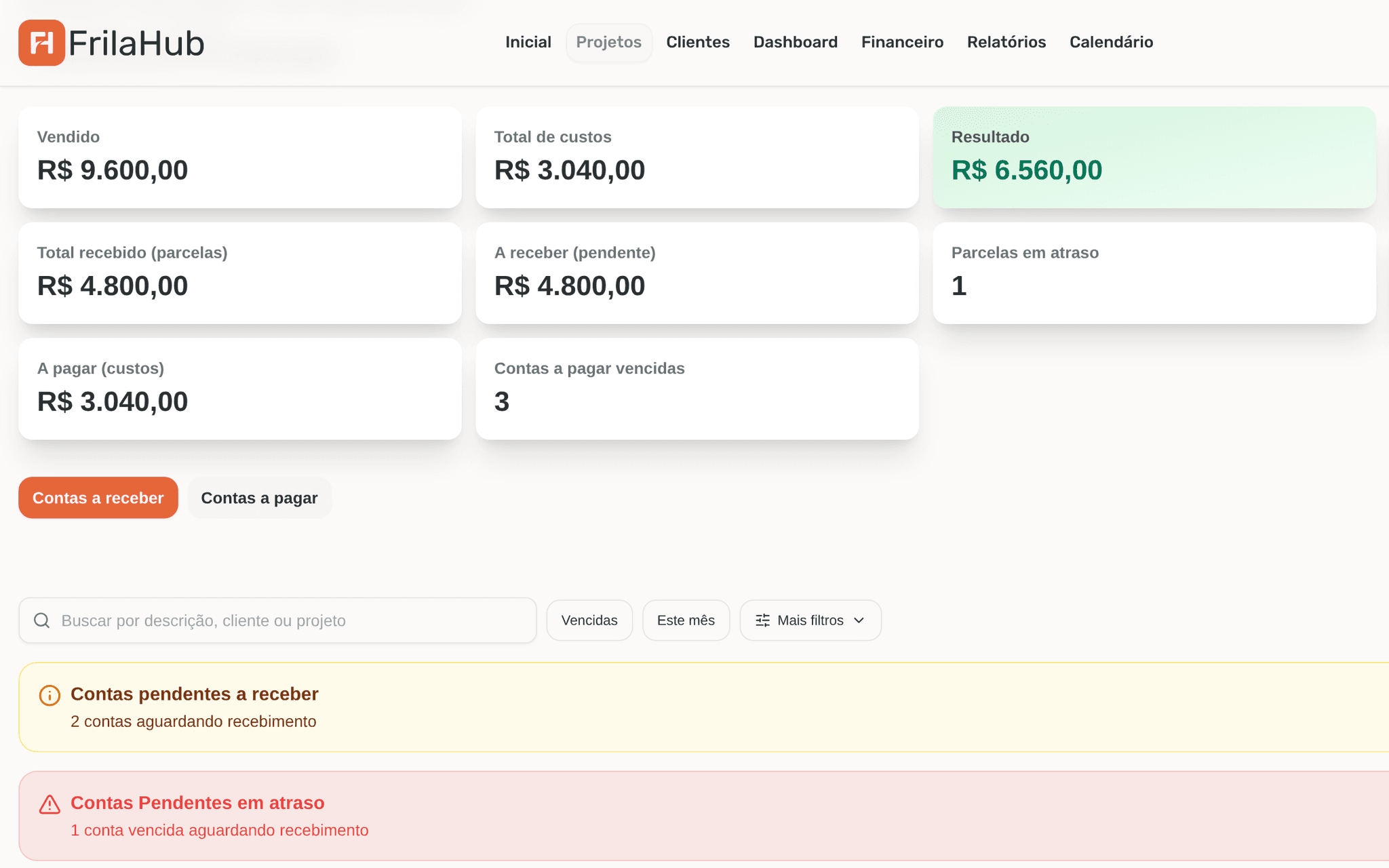
Log the hours of the team on each project and see the profit per hour. Costs and margin are in the finances of each project and in the reports.
FrilaHub screens with sample data, shown in Portuguese.
Three steps for the agency to leave spreadsheets and loose conversations behind.
Invite the team (up to 10 people on Team Pro) and set what each member can see and edit.
Each client has its projects, with stages, priorities and owners on the team board.
The team logs hours on the project, and FrilaHub shows the result, the margin and the profit per hour of each project.
No lock-in. Plans for people who work alone and for teams: what changes are the limits on clients, projects and users.
Free forever
No credit card
To get to know FrilaHub and organize your first projects.
US$ 3.33 per month
billed US$ 39.90 per year (2 months free)
For people who work alone and want clients, projects and finances in one place.
US$ 5.83 per month
billed US$ 69.90 per year (2 months free)
For people who work alone and want no limit on clients or projects.
Work with a team? On the Team Basic and Team Pro plans you invite people and set what each one sees.
US$ 7.00 per month
billed US$ 84.00 per year
For pairs who share clients and projects.
US$ 14.25 per month
billed US$ 171.01 per year
For teams of up to 10 people, with no limit on clients or projects.
Custom: A tailored plan for operations with specific needs. Includes everything in Team Pro, online team training and priority support. Price on request.
Talk to usEvery Free signup starts with 7 days of Solo Pro unlocked, no card required. After that, the account stays on Free, at no charge. On paid plans, your first subscription includes 7 days free, with a card on file.
Common questions from agencies and creative studios.
The Team Basic plan has 2 users, including the owner. The Team Pro plan has up to 10, including the owner. For larger teams there is the Custom plan, priced on request.
Yes. FrilaHub has permissions per member, so you decide who can access and manage each area of the operation.
No. Team Pro is a fixed price for the whole team, with up to 10 people including the owner.
Yes. On the Team Pro plan you have unlimited clients, each with its own history, independent projects and its own finances. The dashboard gives you the overview.
Each member logs hours on the project they worked on. The Hours tab of the summary shows hours per project, client and person, with the revenue and the profit per hour of each project. Reports show revenue, cost and margin for the period.
Yes. On paid plans, your first subscription includes 7 days free, with a card on file. You can also start on the Free plan, for one person, with no card.
Add a client and a project in progress and see its finances from day one.
Start for freeFree plan, free forever. No credit card. Talk to us